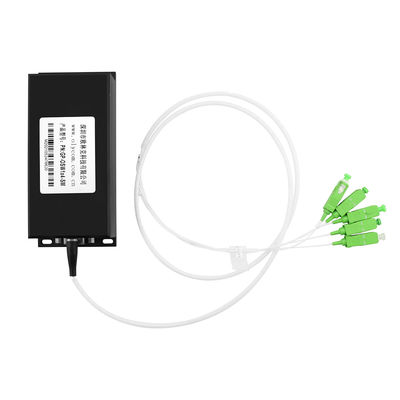
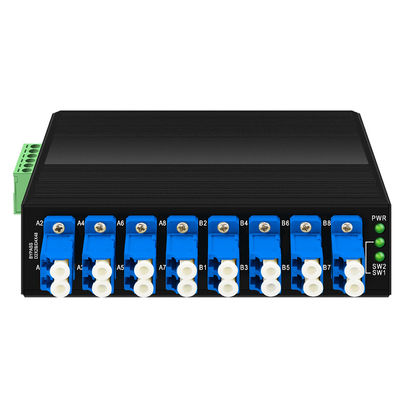
4-Channel Optical Fiber Bypass Module
Introduction to OLP OBP Optical Bypass Switch
Olycom optical switch module supports 100G/40G/10G/1G and 100M fiber connections and offers SC/LC single mode&multi mode options.
It can also be customized to meet the optical path needs of complex test systems and improve product test efficiency.
It is an indispensable core product for the monitoring and protection of optical communication system, which can be connected to high-density optical communication systems.
- Low Insertion Loss
- High stability
- High reliability
- Wide Wavelength Range
- Low Channel Crosstalk
- Operating environment temperature: -20℃ ~70℃
Specification of Power off protector
| Product Name |
Optical Fiber Bypass Switch |
| Power Interface |
Standard industrial terminal block. |
| Polarity Protection |
Support |
| Optical Fiber Interface |
LC |
| Wavelength Range |
850±40/1300±40nm; 1260~1650nm |
| Test Wavelength |
850/1300nm; 1310/1550nm |
| Insert Loss |
Typ:0.6 dB Max:1.0 dB ; Typ:0.6dB Max:1.0 dB |
| Return Loss |
MM≥30 dB SM≥50 dB |
| Channel Crosstalk |
MM≥35 dB SM≥55 dB |
| Polarization Loss |
≤0.05 dB |
| Wavelength Loss |
≤0.05 dB |
| Temperature Loss |
≤0.05 dB |
| Repeatability |
≤0.05 dB |
| Operating voltage |
DC12V-52V |
| Service life |
≥100000000 times |
| Switching time |
≤10 ms |
| Transmission optical power |
≤500 mw |
| Environment |
Working temperature:-20°~ 70°C
Storage temperature:-40°~ 85°C
|
| Dimension |
114mmx93mmx35mm |
| Installation Method |
Din rail mounting |
| Protection Grade |
IP40 |
Application of Bypass fiber switch

- Metropolitan Area Network (MAN)
- Laboratory Research and Development
- System Monitoring
- Dynamic configuration of add/drop multiplexing
LED Status
PWR: This is the power indicator of the device
SW1: Bypass operation status indicator 1
SW2: Bypass operating status indicator 2
Dimension
Installation
- Place the equipment on a large enough and stable desktop or on a firm rail track
- Connect the power adapter to the power interface and connect the power socket through the power cord
- Connect the equipment to the corresponding port through the optical fiber
- Do not place heavy objects on the equipment and ensure that the equipment has a good ventilation and heat dissipation environment.
- Please disconnect the power before plugging or unplugging the power adapter.
- Connect the power cord, plug it in, and turn on the power supply. After booting, the LED indicator will show the following conditions:
- The PWR indicator will be on;
- When the equipment has a set of light switches: SW1 or SW2 indicator light will be lit;
- When the device has two sets of light switches: SW1 and SW2 are lit at the same time.
About OLYCOM
Company Overview
Founded in 2003, OLYCOM is a global provider of fiber optic and networking solutions, serving customers in 120+ countries. With ISO9001-certified manufacturing and strong R&D capabilities, the company delivers reliable, cost-effective connectivity solutions for modern networks.
Core Products
Industrial Ethernet switches, DWDM systems, PoE switches, media converters, and SFP modules (1G–400G), covering enterprise, telecom, and industrial applications.
Key Features
Rugged industrial design, wide power input, advanced L2 features (VLAN, QoS, ERPS), high-capacity DWDM transmission (up to 96 channels), and full PoE standards support.
Global Reach
Strong partnerships with distributors, system integrators, and enterprises across North America, Europe, Southeast Asia, and the Middle East.
Why OLYCOM
Continuous R&D investment, strict quality control (CE, FCC, RoHS), flexible OEM/ODM services, and balanced cost-performance solutions.
Applications
Telecom, surveillance, data centers, industrial automation, and smart city infrastructure.
Vision & Mission
To deliver reliable, scalable, and efficient networking solutions that support global digital connectivity.


 Your message must be between 20-3,000 characters!